
Independent website: niosinfo.in is not the official NIOS website. We explain the official rules in simple words, but always double-check on nios.ac.in and your learner dashboard.
It’s 11 at night in Jaipur. Riya, a Class 12 Stream-1 learner, has just finished the last answer of her English (302) Tutor Marked Assignment. Six neat pages in blue ink. Then she flips back to the blank first sheet and pauses. What exactly does the NIOS TMA front page format need on page one?
Short answer: The NIOS TMA front page format is a handwritten cover sheet placed at the start of each subject’s Tutor Marked Assignment (TMA). NIOS asks you to write six details on it: Student Name, Enrolment Number, Course (Secondary or Senior Secondary), Medium, Subject Name and Subject Code. Many study centres also ask for the AI name and code, session, mobile number, signature and date.
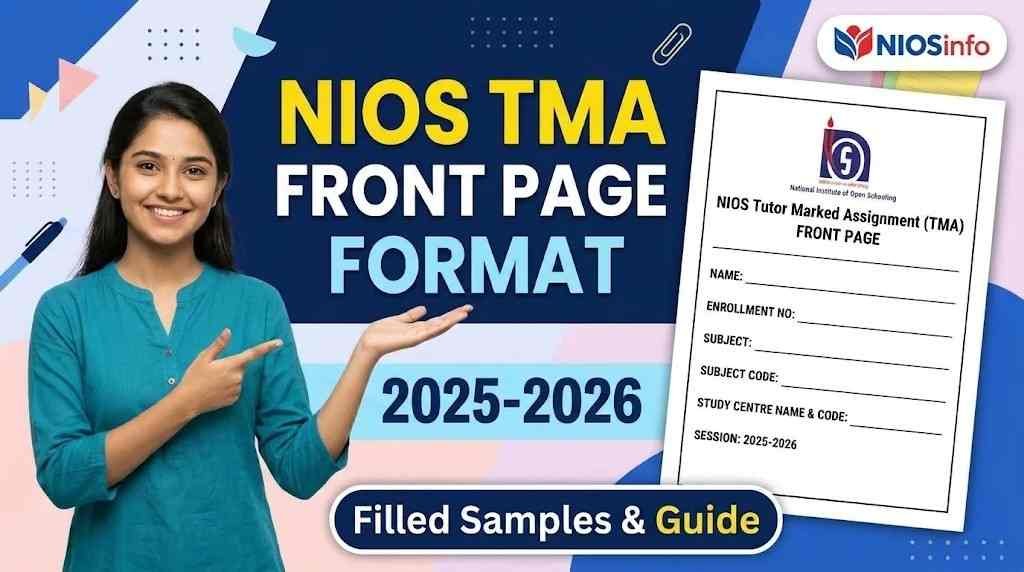
Download the NIOS TMA front page format
Both files are free, A4 size and ready to print. No sign-up needed.
Blank format
A clean A4 cover page with every field laid out. Print one for each subject and fill it in by hand.
Or save the image version (JPG)

Filled samples
Two completed examples, Class 10 in English medium and Class 12 in Hindi medium, so you can see exactly how each line is written.


These templates follow the six fields listed in the NIOS TMA booklet, plus the details most study centres ask for. If your AI or a NIOS notice asks for anything extra, add it by hand. niosinfo.in is an independent website, not the official NIOS website.
Below, you’ll find every field of the NIOS TMA front page, where to copy it from, two filled samples and a printable template. Give yourself about ten minutes per subject.
What to write on the NIOS TMA front page
These six fields come straight from the National Institute of Open Schooling (NIOS) TMA booklet. Write all six on every subject’s cover page; together they make the basic NIOS TMA front page format.
- Student Name (exactly as on your NIOS ID card)
- Enrolment Number (every digit)
- Course: Secondary (Class 10) or Senior Secondary (Class 12)
- Medium (the language you chose at admission)
- Subject Name
- Subject Code (for example, 211 or 319)
Also add your AI (study centre) name and code, the session and your signature. Many subject papers and study centres ask for these too.
NIOS TMA front page format: every field and where to find it
Copy each detail exactly as it appears in your NIOS records. The table shows what to write and which document to take it from, so nothing on your TMA cover page is guesswork.
Four quick terms first. Your enrolment number is the number NIOS gives you once your admission is confirmed. The subject code is the three-digit number printed with each subject, like 211 for Mathematics. Medium is the language you picked at admission. Your AI (Accredited Institution) is your study centre, the school or institute where your contact classes happen.
Swipe the table sideways on your phone.| Field | What to write | Where to find it |
|---|---|---|
| Student Name Official | Your full name in CAPITAL letters, spelled exactly as NIOS has it. | NIOS Identity Card (you can print it from your learner dashboard) |
| Enrolment Number Official | The complete number, with no gaps or missing digits. | NIOS Identity Card, admission confirmation email or SMS, learner dashboard |
| Course Official | SECONDARY (Class 10) or SENIOR SECONDARY (Class 12). | NIOS Identity Card or admission details on the dashboard |
| Medium Official | English, Hindi, Urdu, etc. Your TMA answers must be in this same medium. | Admission details on your learner dashboard |
| Subject Name Official | The subject this TMA is for, for example MATHEMATICS. | Top of the TMA question paper |
| Subject Code Official | Three-digit code, for example 211 (Class 10) or 319 (Class 12). | Top of the TMA question paper, next to the subject name |
| AI / Study Centre name and code Recommended | Name of your study centre and its AI code. | Learner dashboard or ID card; if it’s not shown, ask your study centre |
| Session / Exam Recommended | For example, Session 2026-27, March-April 2027 exam. | TMA paper header and your exam registration |
| Mobile number and email Recommended | Your registered mobile number and email. | The ones you gave during admission |
| Signature and date Recommended | Your usual signature and the date you finish the TMA. | You |
One honest note: the NIOS booklet lists six fields, but most subject papers also ask for your AI name on the first page. Write it anyway; it costs you one line.
Rules can also differ by study centre or state. A January 2026 Delhi Patrachar Vidyalaya notice, for example, asked learners to write the academic session and use blue ink only. If your AI or a NIOS notice asks for something extra, add it.
Filled sample: NIOS TMA front page for Class 10
Here is how a Class 10, English-medium learner follows the NIOS TMA front page format for Mathematics (211). Copy the layout, not the details.
Sample: replace with your own details
Filled sample: NIOS TMA front page for Class 12 (Hindi medium)
Now a Senior Secondary example in Hindi medium for Business Studies (319). Since your TMA has to be written in the medium you chose at admission, a Hindi-medium learner writes the first page details in Hindi as well.
Sample: replace with your own details
Adding your name in English capitals inside brackets is optional. If you’re unsure, ask your study centre once and then keep it the same across all subjects.
NIOS TMA front page in Hindi: label guide
Hindi-medium learners follow the same NIOS TMA front page format, only with Hindi labels. Copy the label from the first column and the value from your ID card.
| Hindi label | English meaning | Example |
|---|---|---|
| नाम / शिक्षार्थी का नाम | Name | प्रिया शर्मा |
| नामांकन संख्या | Enrolment Number | XXXXXXXXXXXX |
| पाठ्यक्रम | Course | माध्यमिक / उच्चतर माध्यमिक |
| माध्यम | Medium | हिंदी |
| विषय एवं कोड | Subject and Code | व्यवसाय अध्ययन (319) |
| अध्ययन केंद्र (एआई) का नाम व कोड | AI name and code | XYZ पब्लिक स्कूल, XXXXXX |
| सत्र | Session | 2026-27 |
| हस्ताक्षर / दिनांक | Signature / Date | अपने हस्ताक्षर |
One small trap: some Hindi subject papers use the word अनुक्रमांक where you might expect नामांकन संख्या. In that instruction, it refers to the same number you write as your enrolment number, so don’t go looking for a second number.
How to fill the NIOS TMA front page, step by step
You can make the NIOS TMA front page in eight short steps. Do it before you scan anything, and keep your ID card open beside you the whole time.
- Collect your details firstKeep your NIOS Identity Card, learner dashboard and TMA question paper next to you. Every detail you need is in these three places.
- Take a fresh sheetUse the same A4 paper as your answers. The NIOS booklet asks for one-sided lined paper, so use that unless your study centre says otherwise.
- Write the headingAt the top centre, write TUTOR MARKED ASSIGNMENT (TMA). Below it, write the session, for example Session 2026-27.
- Write the six official fieldsOne field per line: Name, Enrolment Number, Course, Medium, Subject Name and Subject Code. Use capital letters and a blue pen.
- Add the recommended fieldsAdd your AI (study centre) name and code, the exam you’re appearing in, and your mobile number if your study centre asks for it.
- Sign and dateLeave some space at the bottom right for your signature and the date.
- Check against your ID cardRead every line again and match your name, enrolment number and subject code with your ID card and the question paper.
- Repeat for every subjectMake a new front page for each subject. Five subjects means five front pages.
Small tip: write the subject name and code slightly bigger than the rest. It’s the first line an evaluator looks for.
Blank NIOS TMA front page template (printable)
Use this blank TMA cover page as a guide; it follows the same NIOS TMA front page format shown above. The safest option is to copy it by hand onto your lined sheet, because NIOS accepts only handwritten TMAs. If your study centre allows a printed blank cover, print it and fill in every value by hand.
Download this blank template (PDF)
TUTOR MARKED ASSIGNMENT (TMA)
Session: ____________ Exam: ____________
Where the front page goes in your TMA PDF
The NIOS TMA front page is always page 1 of the PDF, followed by your answers in question order. Each subject becomes its own PDF, uploaded under that subject on your learner dashboard at sdmis.nios.ac.in. For the full upload process, see our step-by-step NIOS TMA submission guide.
- Page 1: front page
- Then answers to Questions 1 to 6, in order
- A page number at the bottom of every page
- One PDF per subject; never mix two subjects
- Scan in daylight or under a bright white light, with the page flat on a table
- Open the PDF and read every page once before you upload
Imran works at a warehouse in Lucknow and scans his Class 10 Social Science (213) pages at midnight on his phone. His first scan came out yellow and blurry. He switched on the tube light, laid each page flat and scanned again. Two extra minutes, and every word was readable.
Why does this matter so much? Your enrolment number and subject code are what link the file to your record. If either one is wrong on your NIOS TMA front page, your marks can be delayed or land on the wrong record. NIOS also states that a TMA cannot be re-evaluated once it has been checked, so verify everything before you press upload.
Timing matters too. NIOS commonly lists 31 January as the upload date for the March-April exam and 31 July for the September-October exam, with a late fee of Rs 1,500 per subject after that. NIOS sometimes changes or extends these dates by notice, so always confirm the current date on your dashboard. Our NIOS TMA submission guide explains the deadlines, late fee and re-upload window in detail.
Common NIOS TMA front page mistakes (and quick fixes)
Most NIOS TMA front page format errors come from rushing at the very end. Each one takes only seconds to fix before upload.
- Class 10 code on a Class 12 TMA.Fix: Hindi is 201 in Secondary but 301 in Senior Secondary. Copy the code from the paper you’re answering, not from memory.
- One front page for all subjects.Fix: Every subject gets its own front page and its own PDF.
- Wrong medium written.Fix: Write the medium you chose at admission. Your answers must be in that medium too.
- Missing or swapped enrolment digits.Fix: Read the number aloud, digit by digit, while looking at your ID card.
- Front page placed last in the PDF.Fix: Move it to page 1 before you create the PDF.
- Blurry or dark phone scan.Fix: Rescan in bright light on a flat surface, holding the phone straight above the page.
- Name doesn’t match the ID card.Fix: Use the exact spelling on your NIOS ID card, even if people usually spell it differently.
Before-you-upload checklist
Run through this list for each subject. If every point is true, your NIOS TMA front page format is correct and ready to upload.
- My name matches my NIOS ID card exactly
- My enrolment number is complete and checked twice
- Course, medium, subject name and code are correct for this subject
- AI name and code are written
- The front page is page 1 of this subject’s PDF
- All pages are clear, in order and numbered
- I’m uploading under the correct subject on the dashboard
FAQs on the NIOS TMA front page
Is the front page compulsory for NIOS TMA?
Yes. The NIOS TMA front page is part of the official format: the booklet says the learner shall prepare a cover page mentioning name, course, medium, subject code, subject name and enrolment number. Most subject papers also ask you to write your details on the first page. Without it, the evaluator can’t easily match your answers to your record.
Can I type or print the NIOS TMA front page?
It’s safer to write it by hand. NIOS accepts only handwritten TMAs, and computer-printed TMAs are not accepted. That rule covers the whole TMA, and the front page is part of it. Handwrite your details unless your study centre clearly says a printed cover is fine.
Do I need a separate front page for each subject?
Yes. NIOS gives one assignment per subject, and each subject is uploaded as its own file on the dashboard. So every subject needs its own front page with that subject’s name and code. Using one front page for all subjects is a common mistake that confuses the evaluator.
Where do I find my AI name and AI code?
Your AI is the study centre you chose at admission. Check your learner dashboard on sdmis.nios.ac.in and your NIOS Identity Card first. If you still can’t find the code, call or visit your study centre and ask. They can tell you in a minute, and it costs nothing.
What if I made a mistake on the front page after uploading?
Act quickly. NIOS has allowed learners to re-upload a corrected TMA within seven days of the first upload. If that window has passed or the option isn’t showing on your dashboard, contact your AI or NIOS Regional Centre and explain the mistake in writing.
Is the front page different for Class 10 and Class 12?
The NIOS TMA front page format is the same for both; only the details change. Class 10 learners write Secondary as the course and use 200-series subject codes, like Mathematics (211). Class 12 learners write Senior Secondary and use 300-series codes, like Business Studies (319). Always copy the code from the paper you’re answering.
Which ink should I use on the NIOS TMA front page?
Blue ink is the safe choice. The general NIOS booklet doesn’t fix one colour, but some official notices do. A January 2026 Delhi Patrachar Vidyalaya notice, for example, asked for blue ink only. Use one blue pen for the whole TMA, and follow your study centre if it says otherwise.
Do Stream 2, 3 or 4 learners need a TMA front page?
No. TMA applies only to learners admitted through Stream-1, so learners in Streams 2, 3 and 4 don’t submit a TMA or a front page. If you’re not sure which stream you’re in, check the admission details on your learner dashboard.
Final word
Getting the NIOS TMA front page format right takes about ten minutes, and it protects marks you’ve worked hard for. Make one front page per subject, check it against your ID card, and upload only after reading the full PDF once.
Front page done? Follow our step-by-step guide to uploading your NIOS TMA.
Write your answers yourself, too; it’s the best practice you’ll get for the exam. For subject codes and official TMA papers, see our NIOS study material and subject code guide. New to NIOS? Start with the NIOS Class 10 course overview, or find more help on NIOS Info.
Sources: official NIOS TMA booklet and student portal (nios.ac.in, sdmis.nios.ac.in). Official TMA papers are listed on nios.ac.in under Student Information, Tutor Marked Assignment (TMA).